WorkCase study
Tipmo
Tipmo lets a guest tip a worker by tapping the worker’s tag with a phone. As a freelancer I redesigned the guest’s checkout, the worker’s app and the venue’s dashboard, including the design system, and worked with Tipmo’s team as the screens were built.
- Role
- Product design · UX/UI · Design system
- Stack
- Figma
Problem
One tap on Tipmo involves three people. The guest holds a phone to a tag and gets a short web page. The worker has an app to order that tag, activate it and cash out. The venue has a dashboard for its tips, staff, rooms, tip pools and tag stock. I redesigned all three and the design system under them, and worked with Tipmo’s founders and engineer while the screens were built.
My role
- Product design
- UX/UI
- Design system
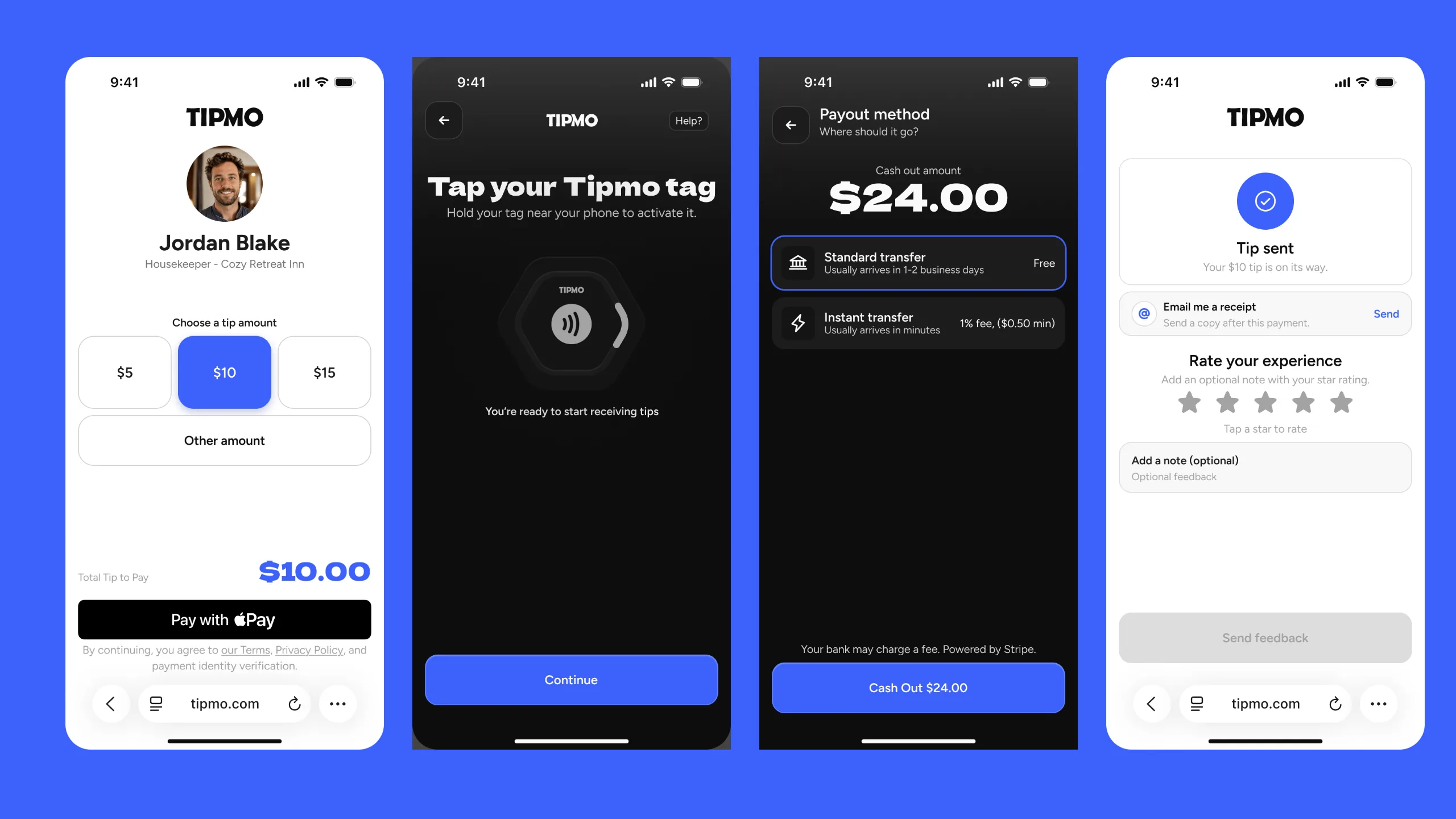
Two sides of one tap
The guest’s side is white and short: a photo, a name, three amounts and one button. The worker’s side is dark and holds everything before and after a tip, from ordering a tag to moving money to a bank. One blue marks the main action on every screen of both. The venue’s dashboard comes last on this page.
The guest
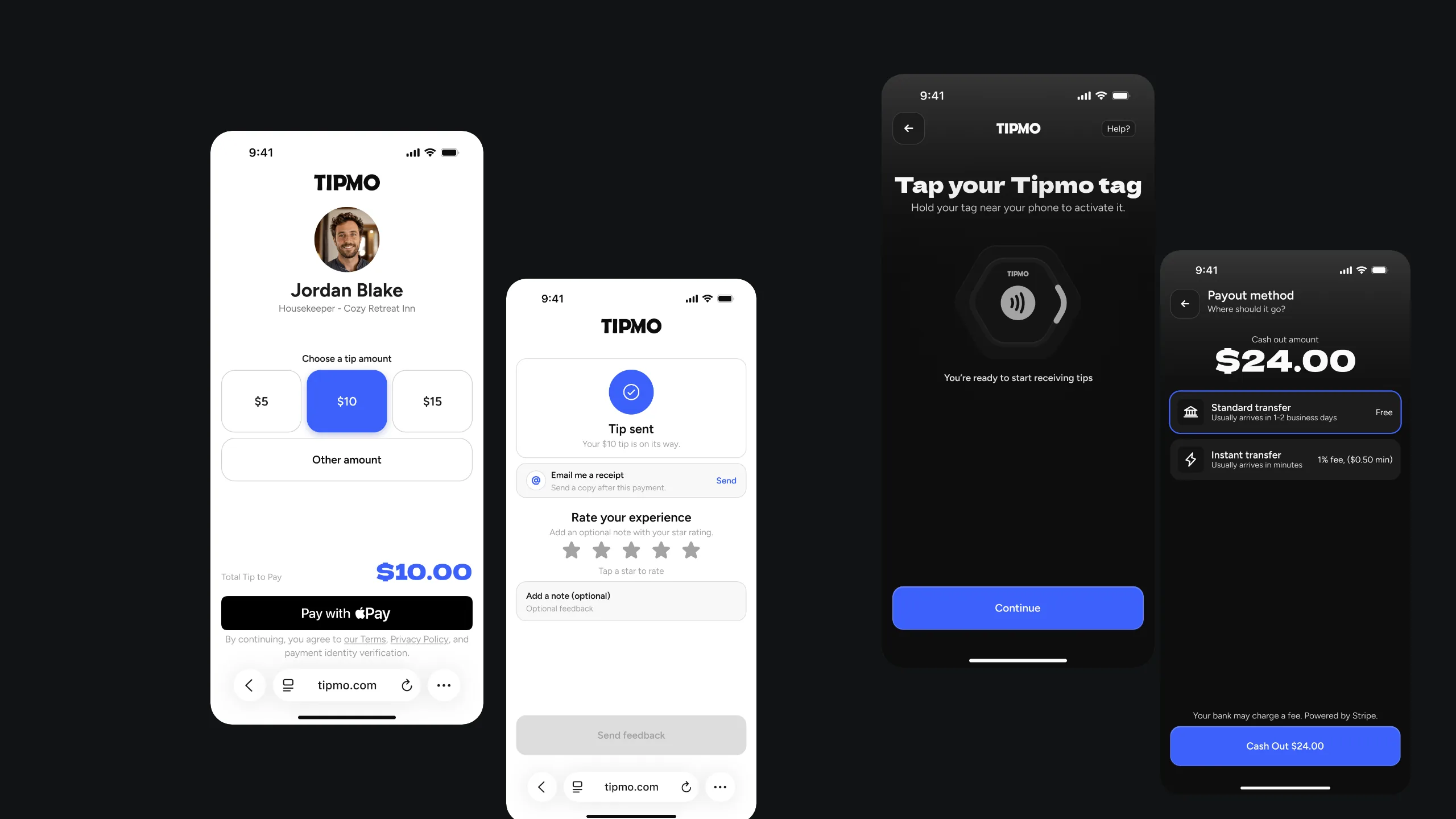
A tip first, feedback second
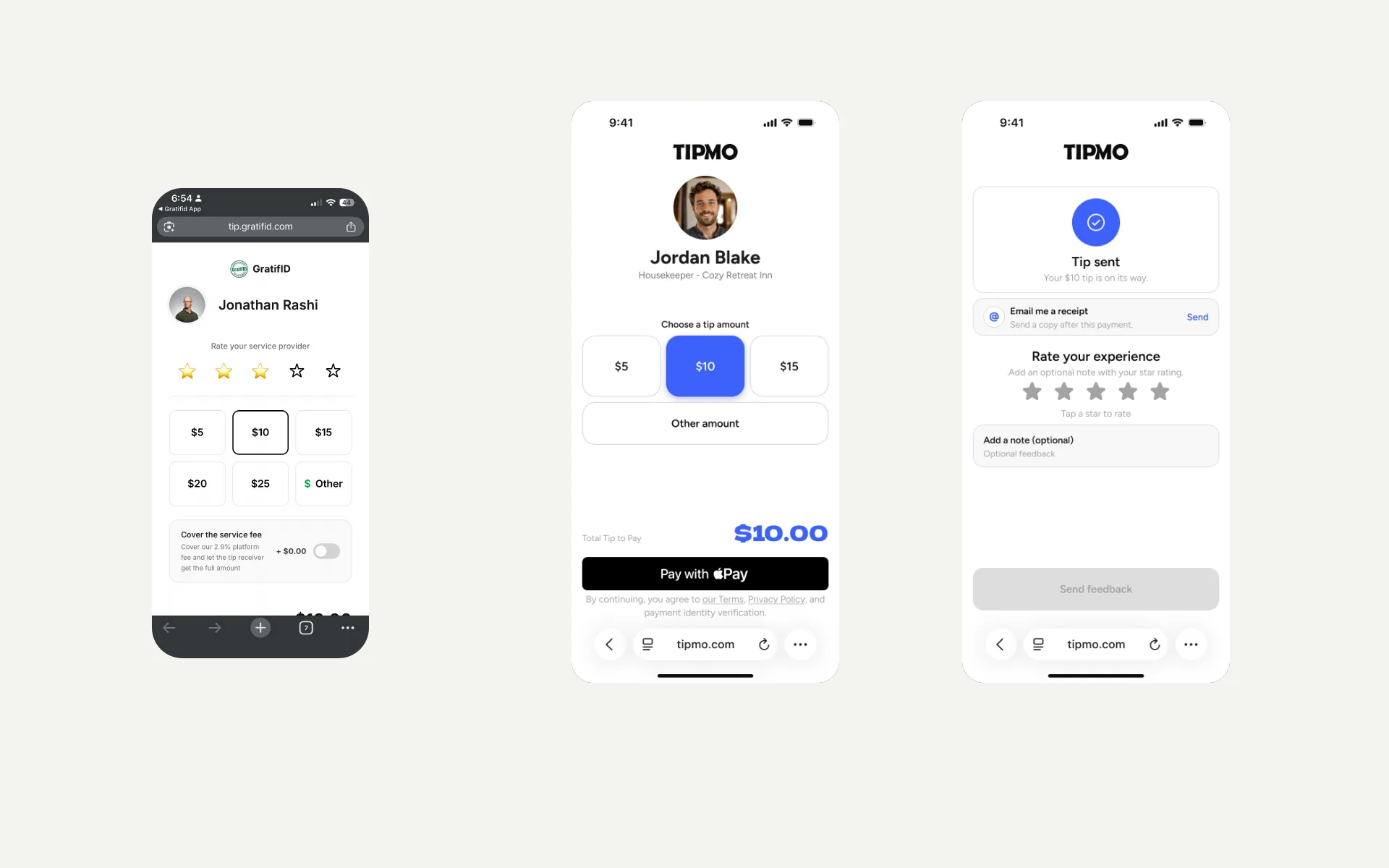
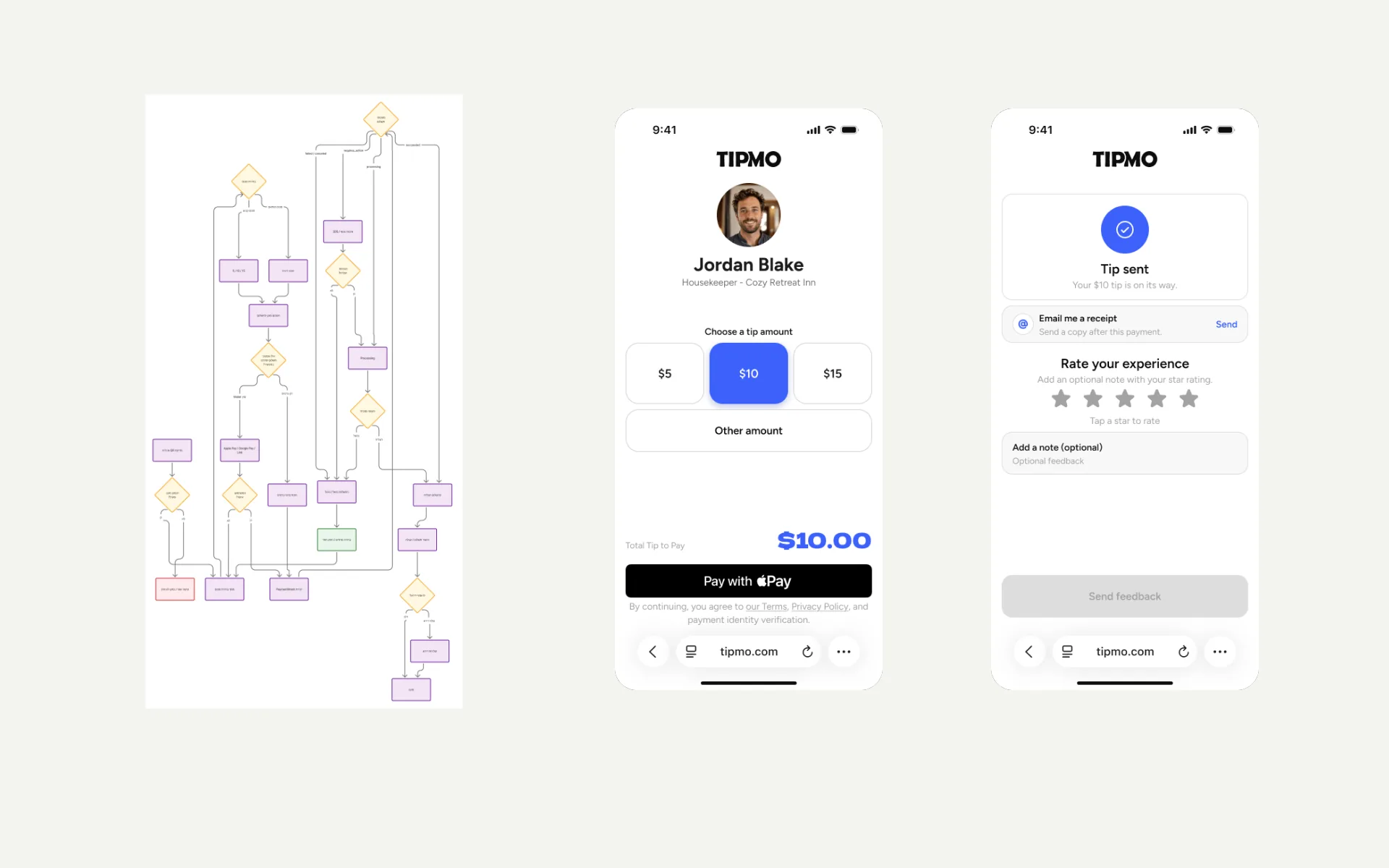
The earlier checkout put five stars, six amounts and a service-fee switch in front of the guest before they could pay. I moved the rating to after the payment, so there’s one decision before the main action: “Choose a tip amount”, $10 already picked, and “Pay with Apple Pay”. The rating, a note and an emailed receipt come after “Tip sent”, all optional, and the receipt says what the address is for: “By submitting, Tipmo will use this email only to send this receipt.”
The worker
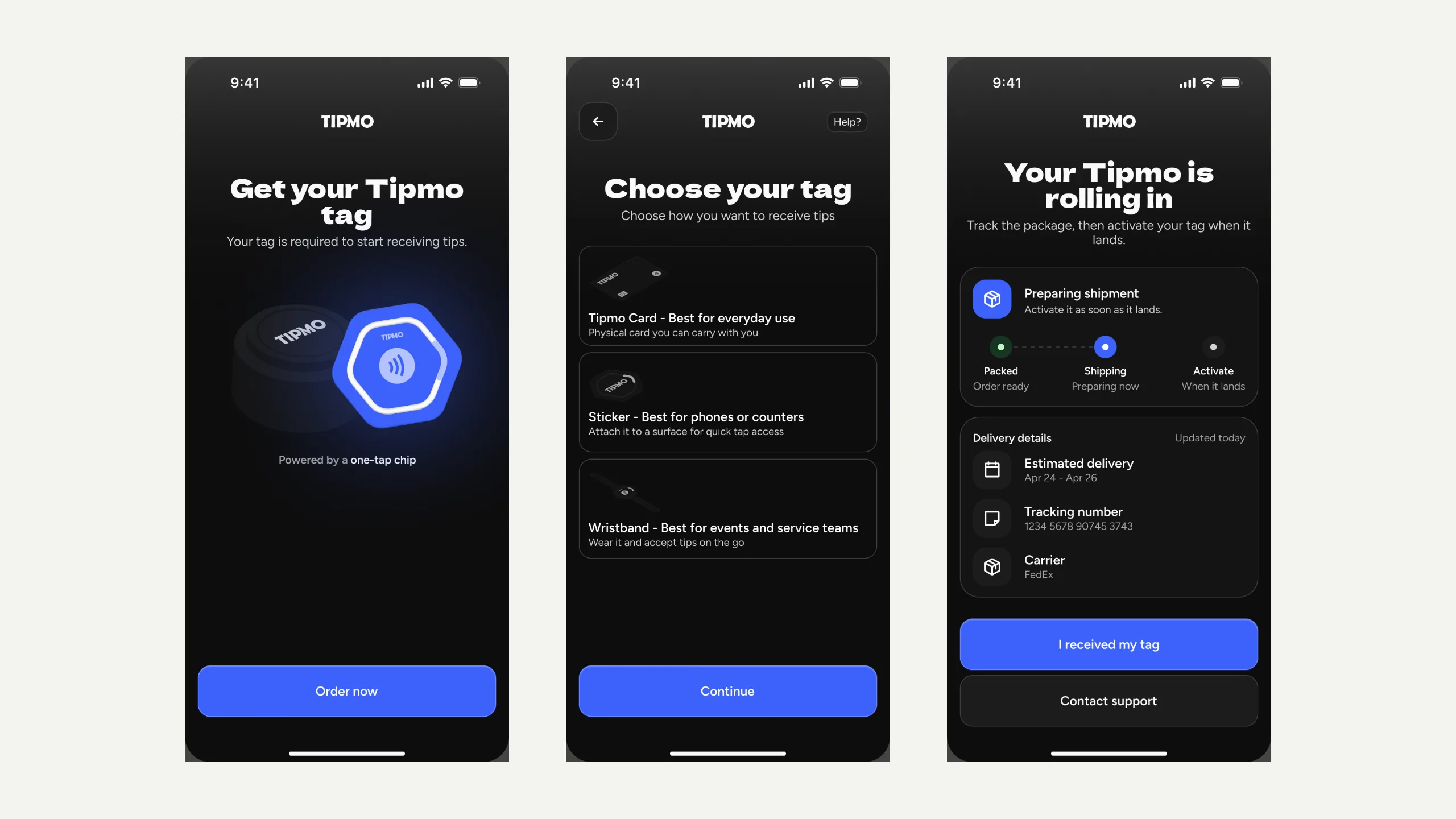
Built around a physical tag
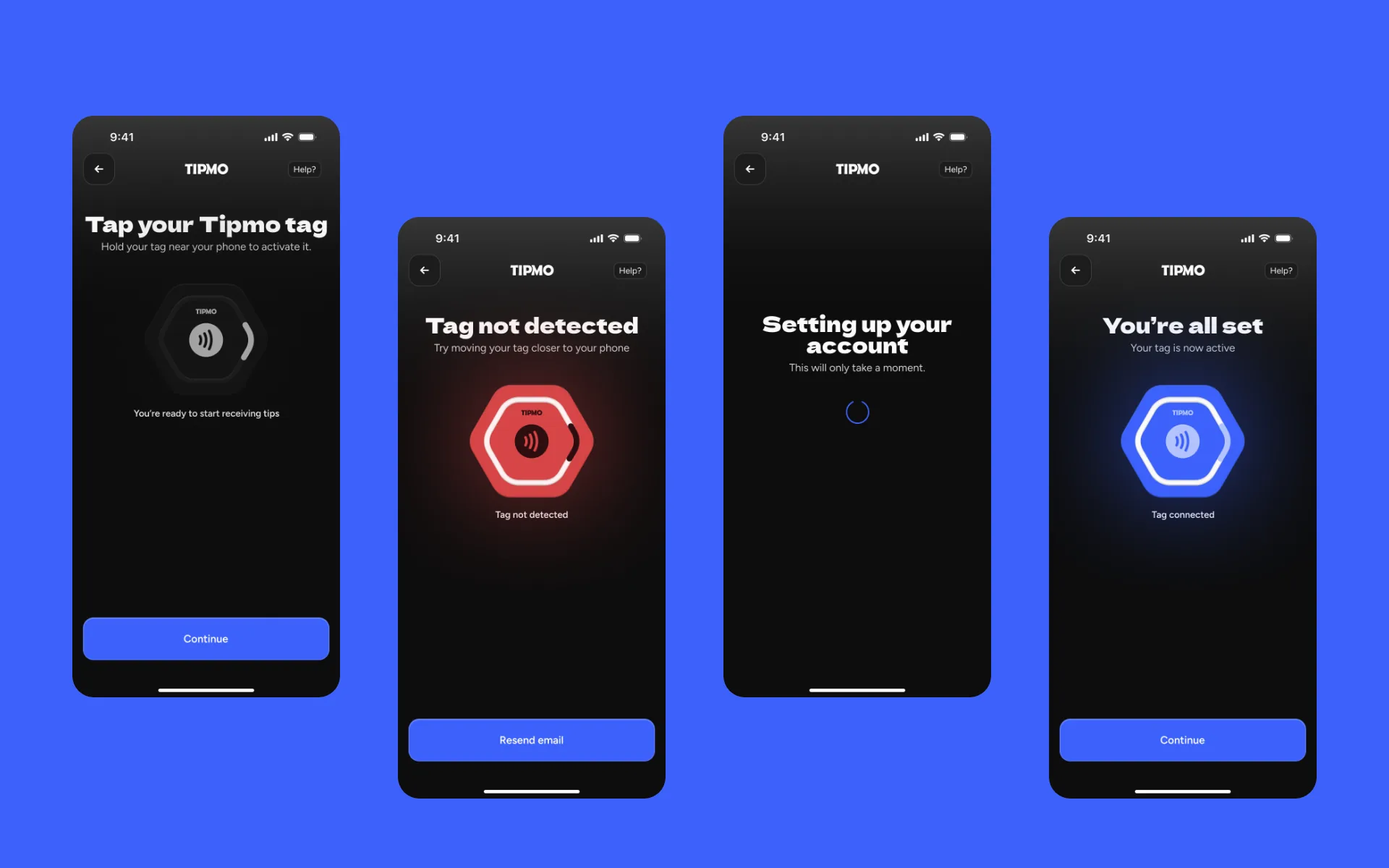
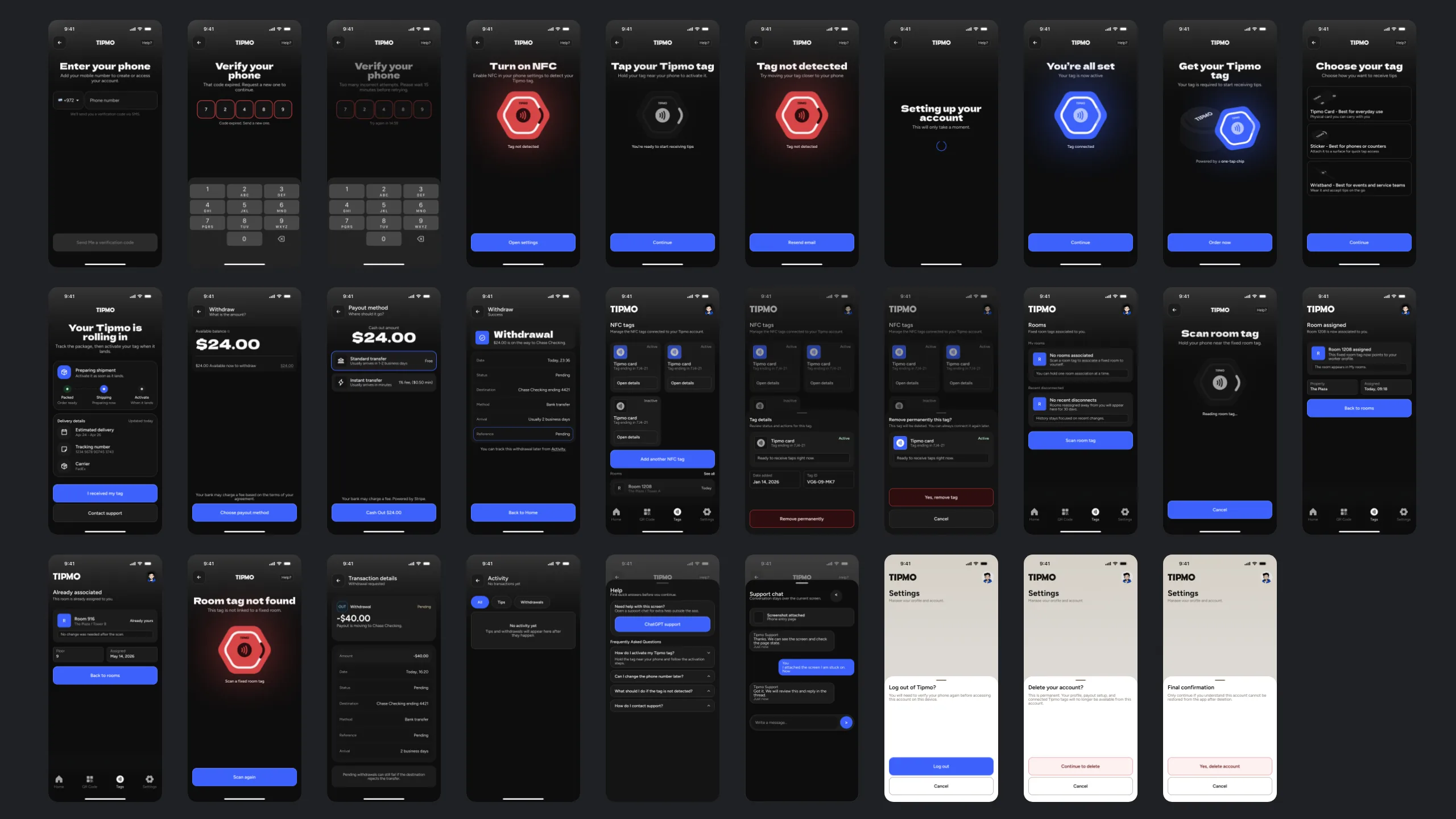
A worker can’t take tips without a tag, so the app starts there. The earlier version jumped from ordering a tag straight to connecting it, before anything had arrived. Ordering now ends on “Your Tipmo is rolling in”, with the delivery steps and “I received my tag”, and activating is a step of its own: hold the tag to the phone, and the screen answers “Tag not detected” or “You’re all set”. After that, each tag is a card, Active or Inactive, and removing one takes a second, red confirmation.
The next step, on the button
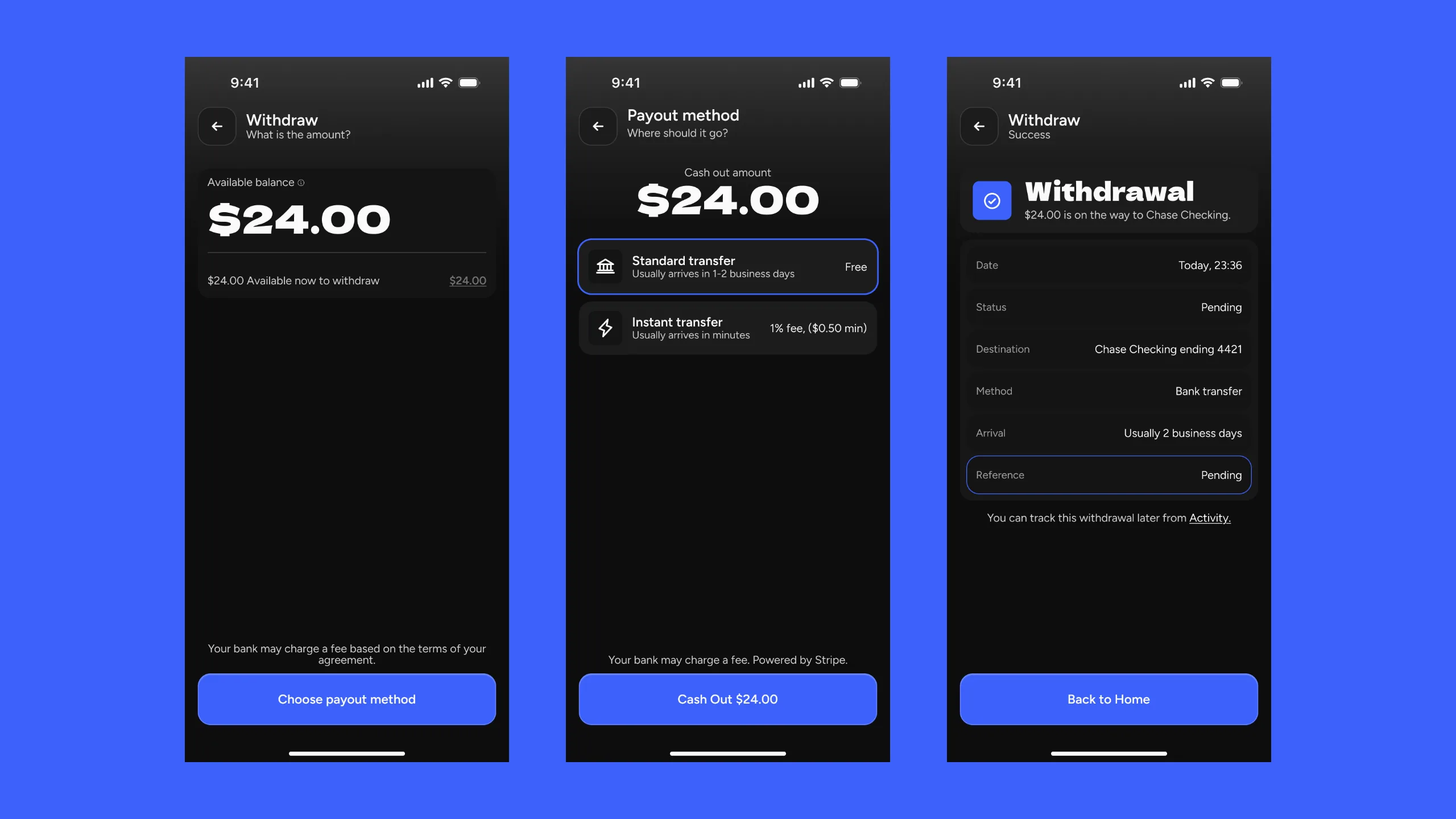
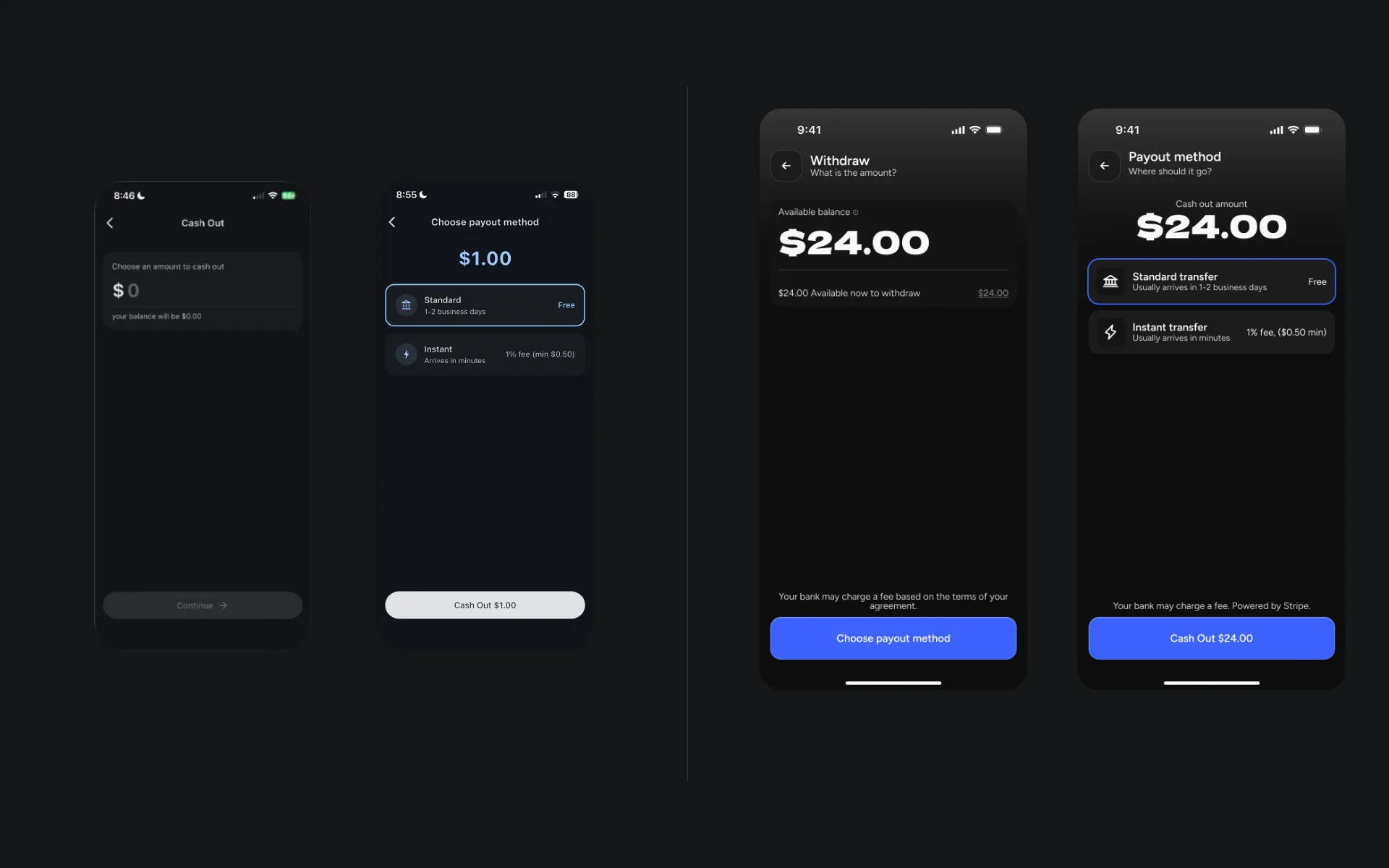
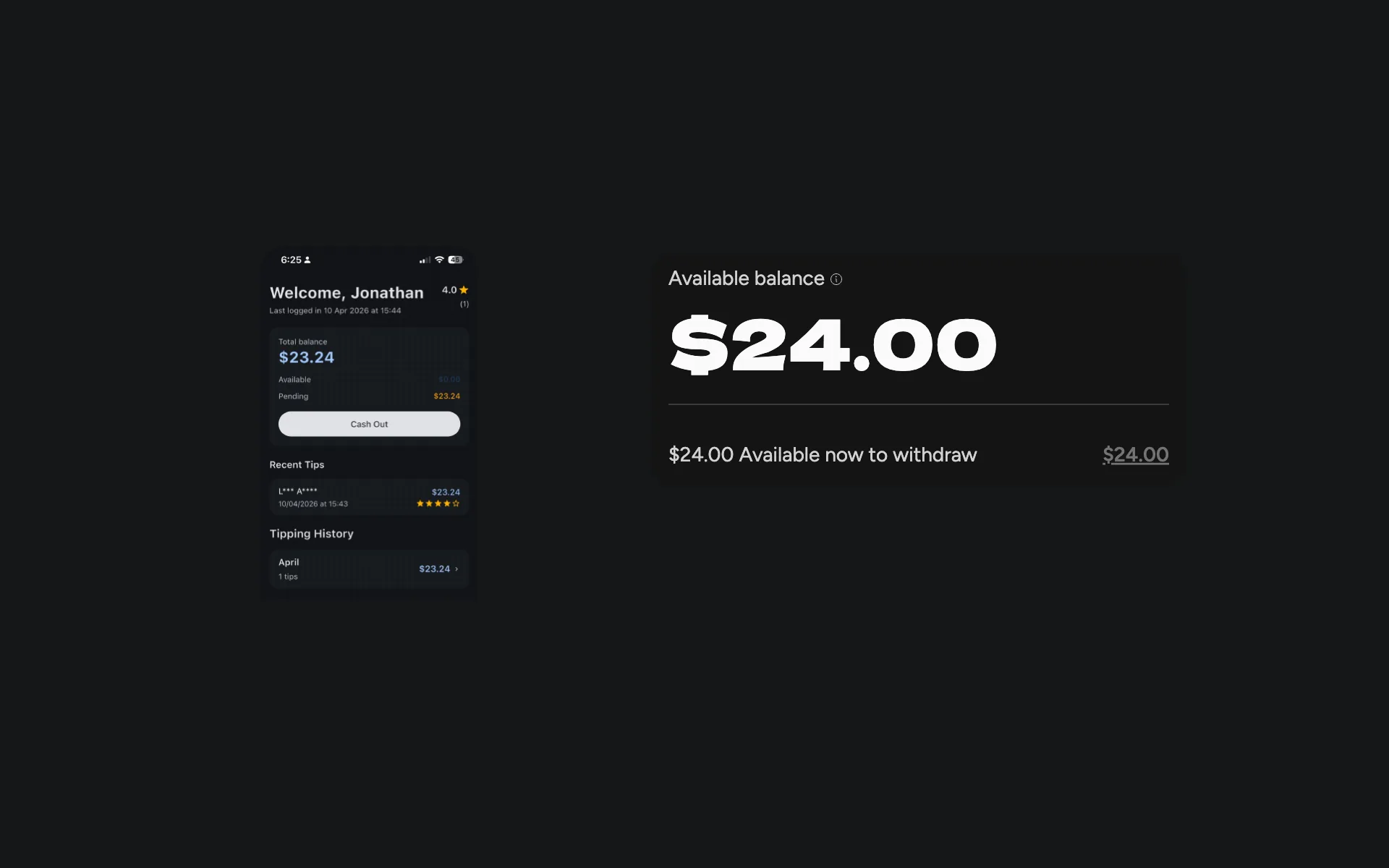
Withdrawing used to go through a “Continue” that didn’t say whether money was about to leave. Now each button names what it does, “Choose payout method” and then “Cash Out $24.00”, with the standard and instant transfers and their fees in between. The last screen shows the request as Pending and stays until “Back to Home”, where the earlier one went home by itself after three seconds. The balance moved up too, from small type under a greeting to the first thing on the home screen.
When something goes wrong
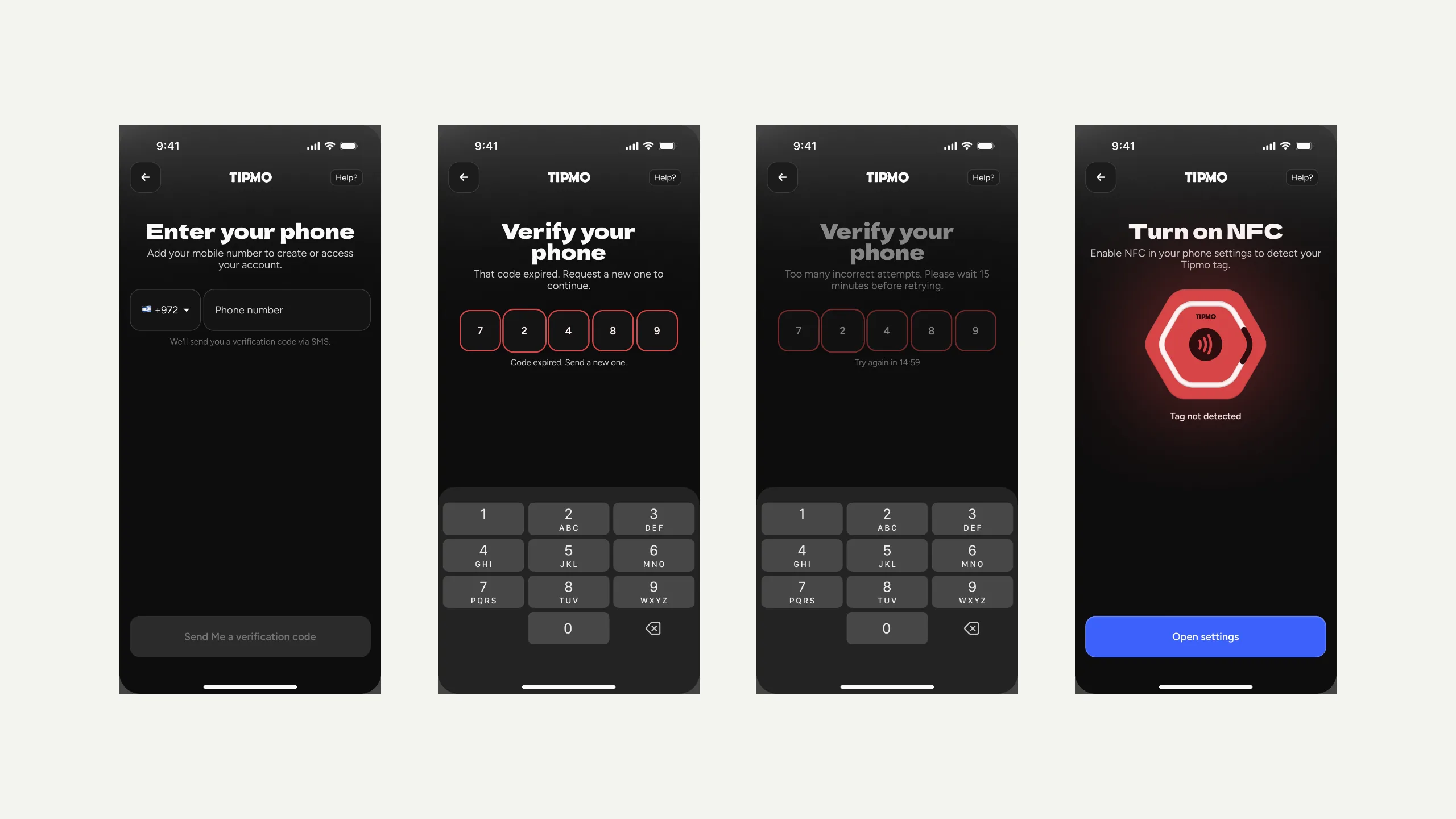
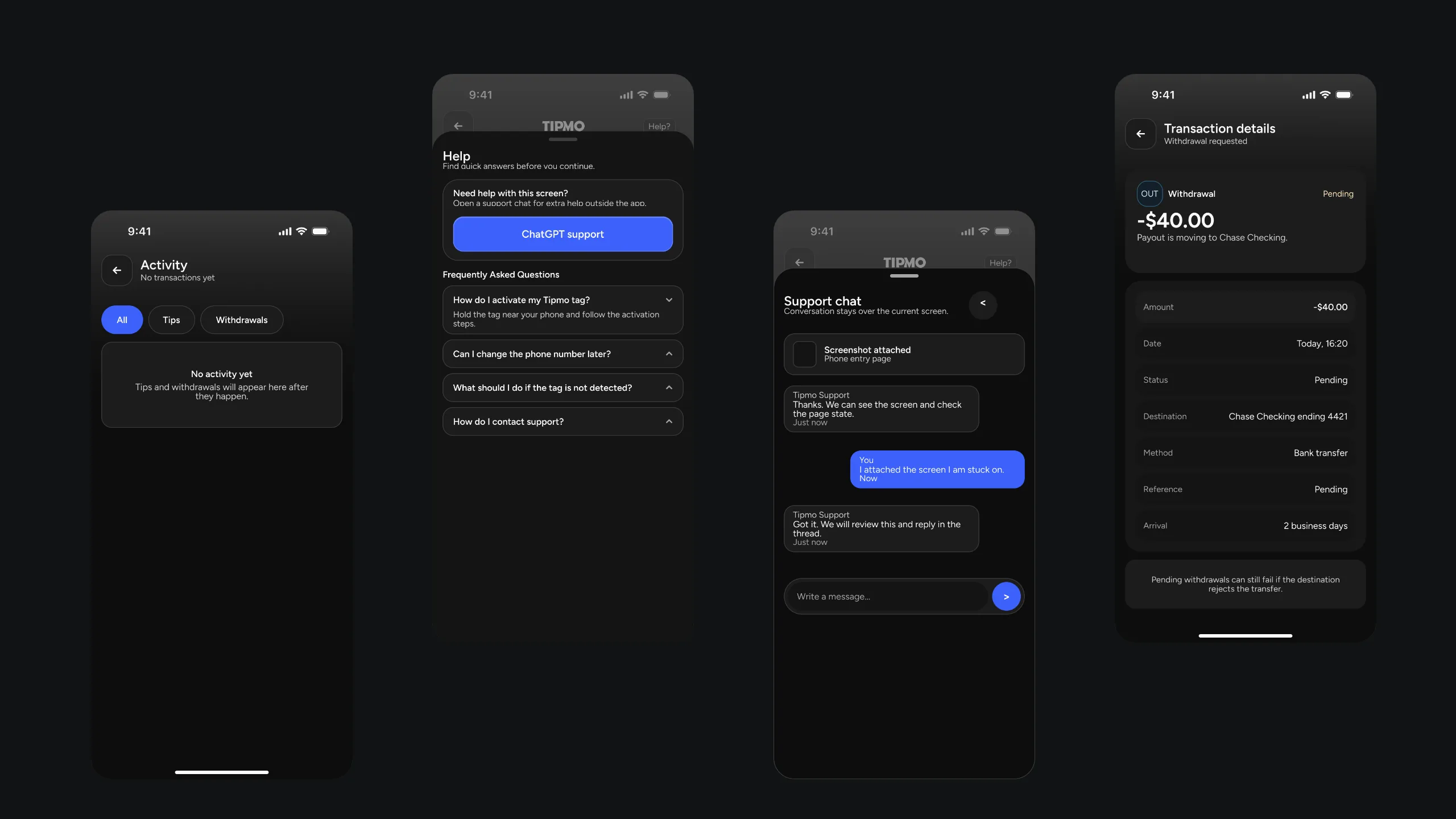
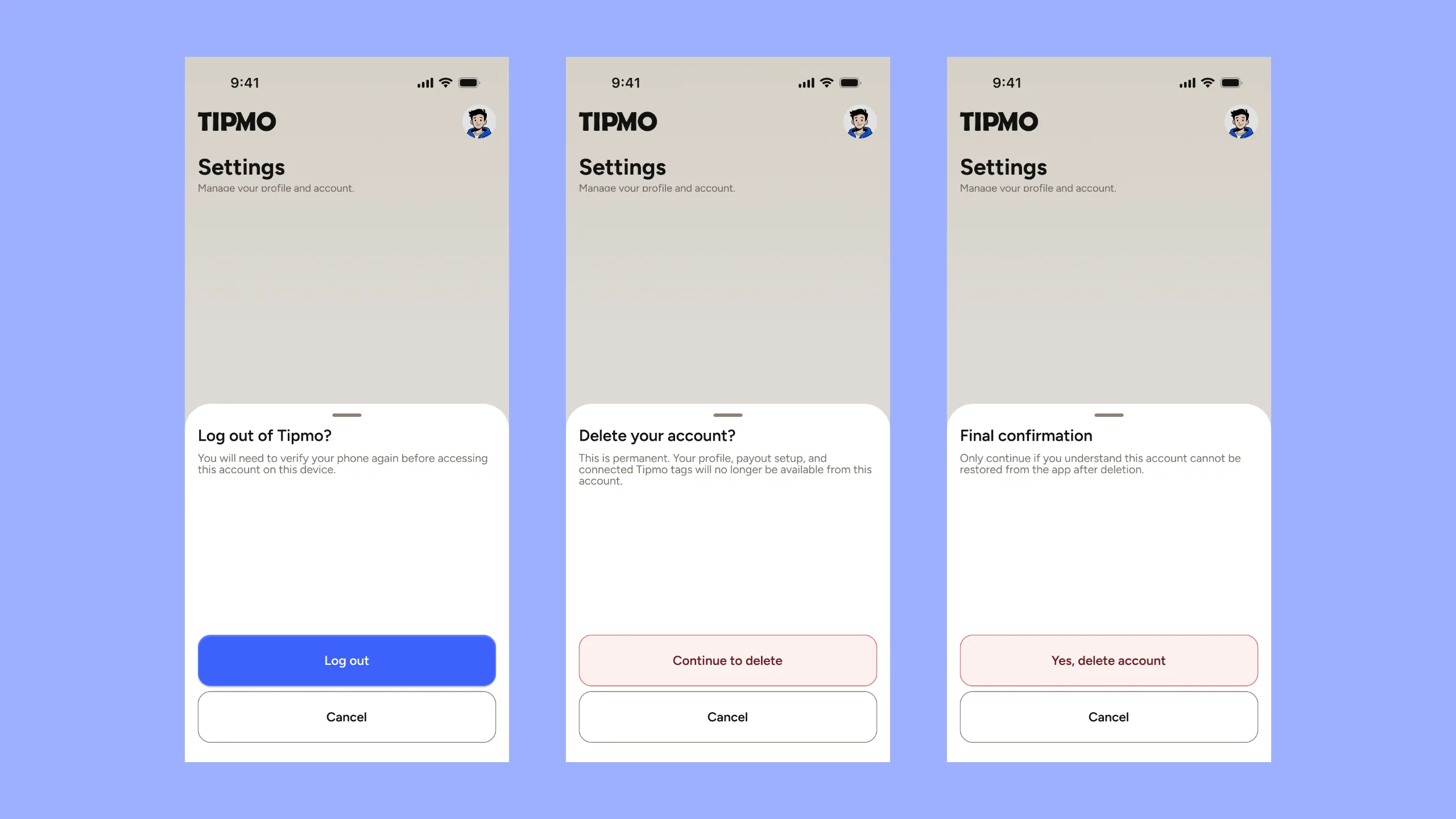
Each way signing in can fail has its own screen, and each says what to do next. An expired code reads “That code expired. Request a new one to continue.” Too many tries dims the keypad and counts down. With NFC off, the screen offers one button, “Open settings”. The quiet states got the same care: an empty activity list says what will appear there, help opens as a sheet with a chat, and deleting the account takes two confirmations.
One set of parts
The app is built from a small set of components, each drawn in every state it can be in. Buttons come default, hover, pressed, focused, disabled and in error. Tag cards come active and inactive. The money parts are the ones the withdrawal uses. These grids shuffle them between the states the file holds.
From diagrams to screens
The flows were drawn first, as diagrams in Hebrew. The guest’s already has the order the page follows: a valid recipient, an amount, the payment, a receipt, and a rating only after paying. Twenty-nine of the screens that came out of them sit on one board below.
The venue
The venue’s view
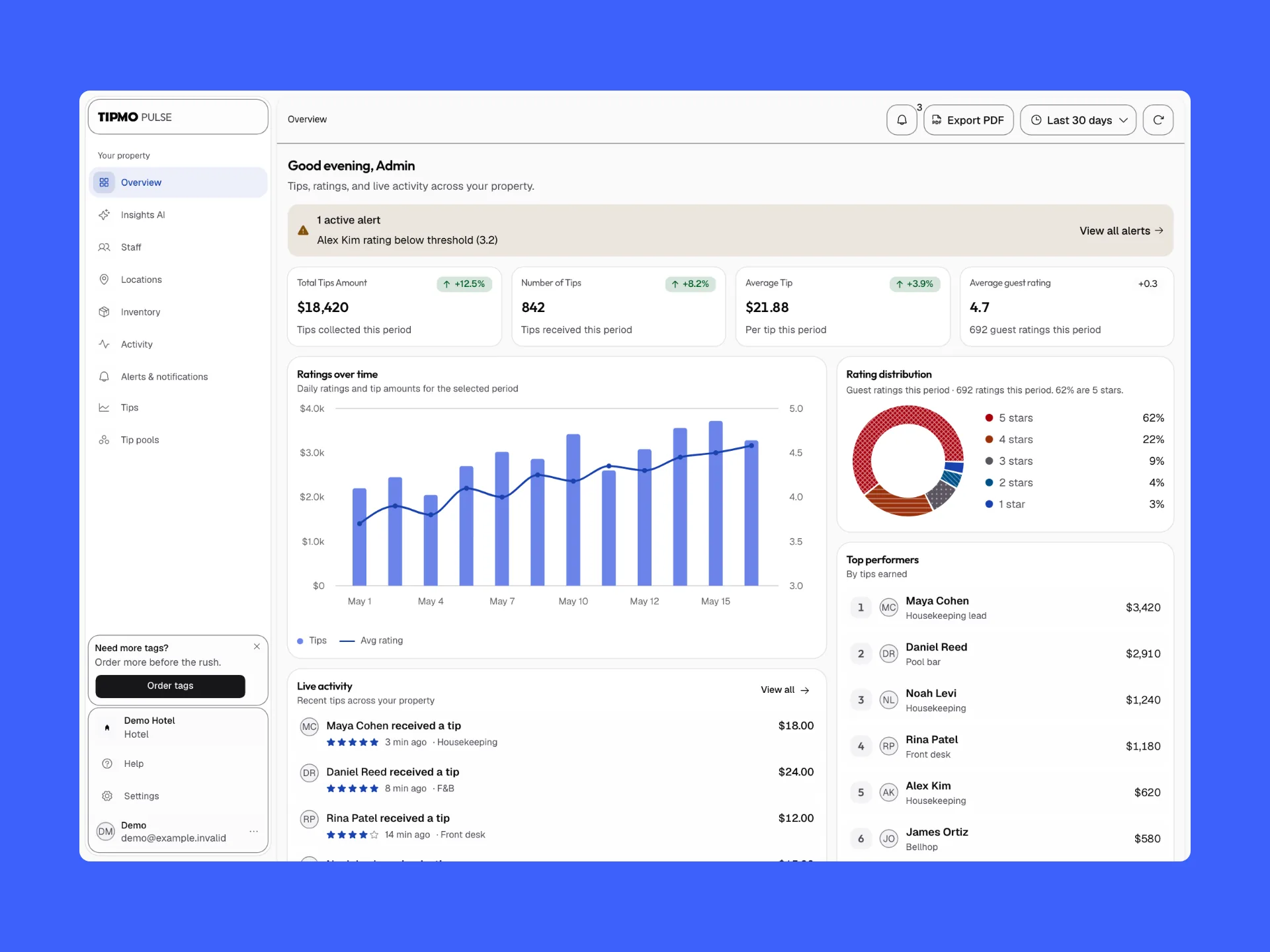
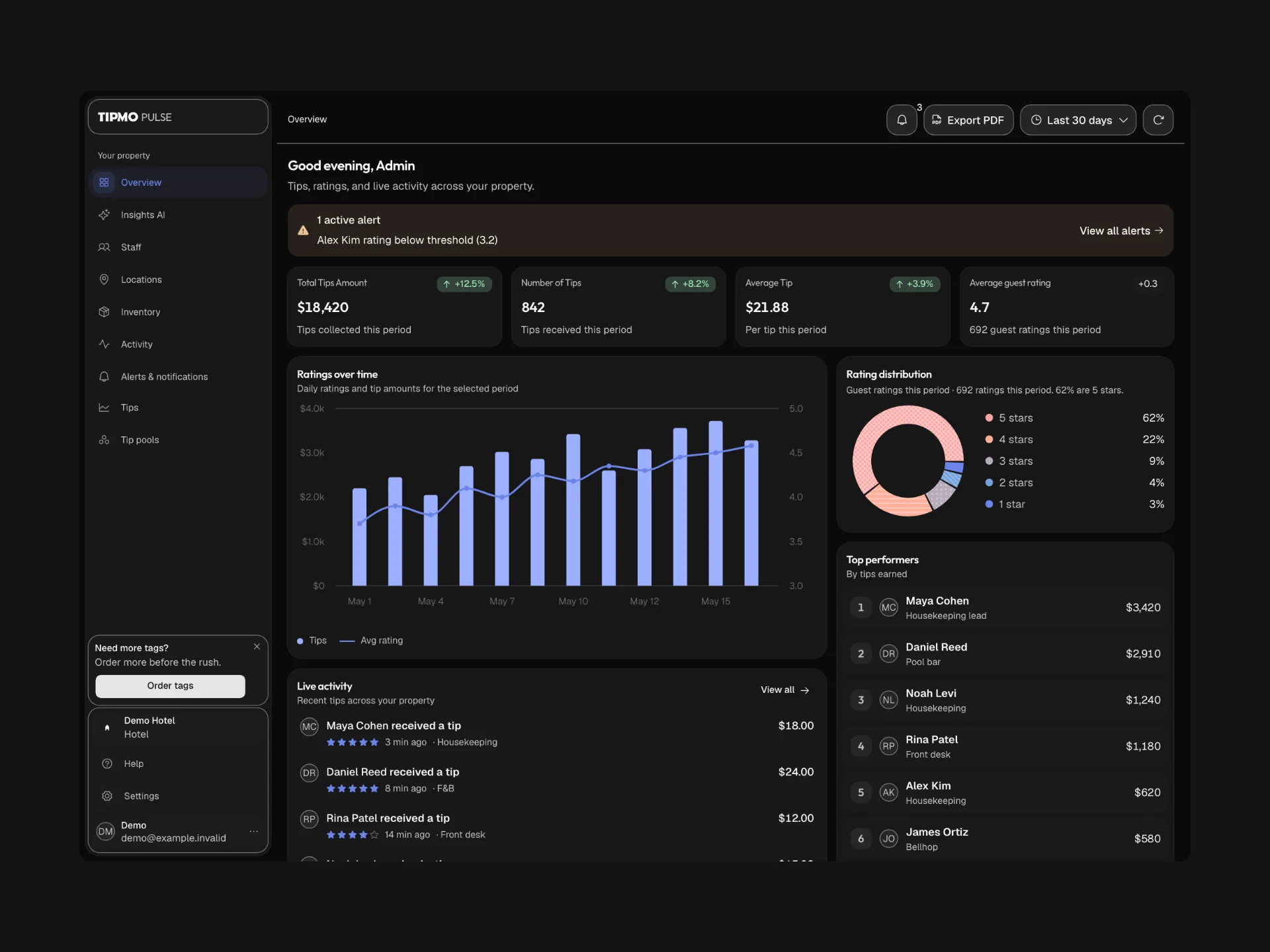
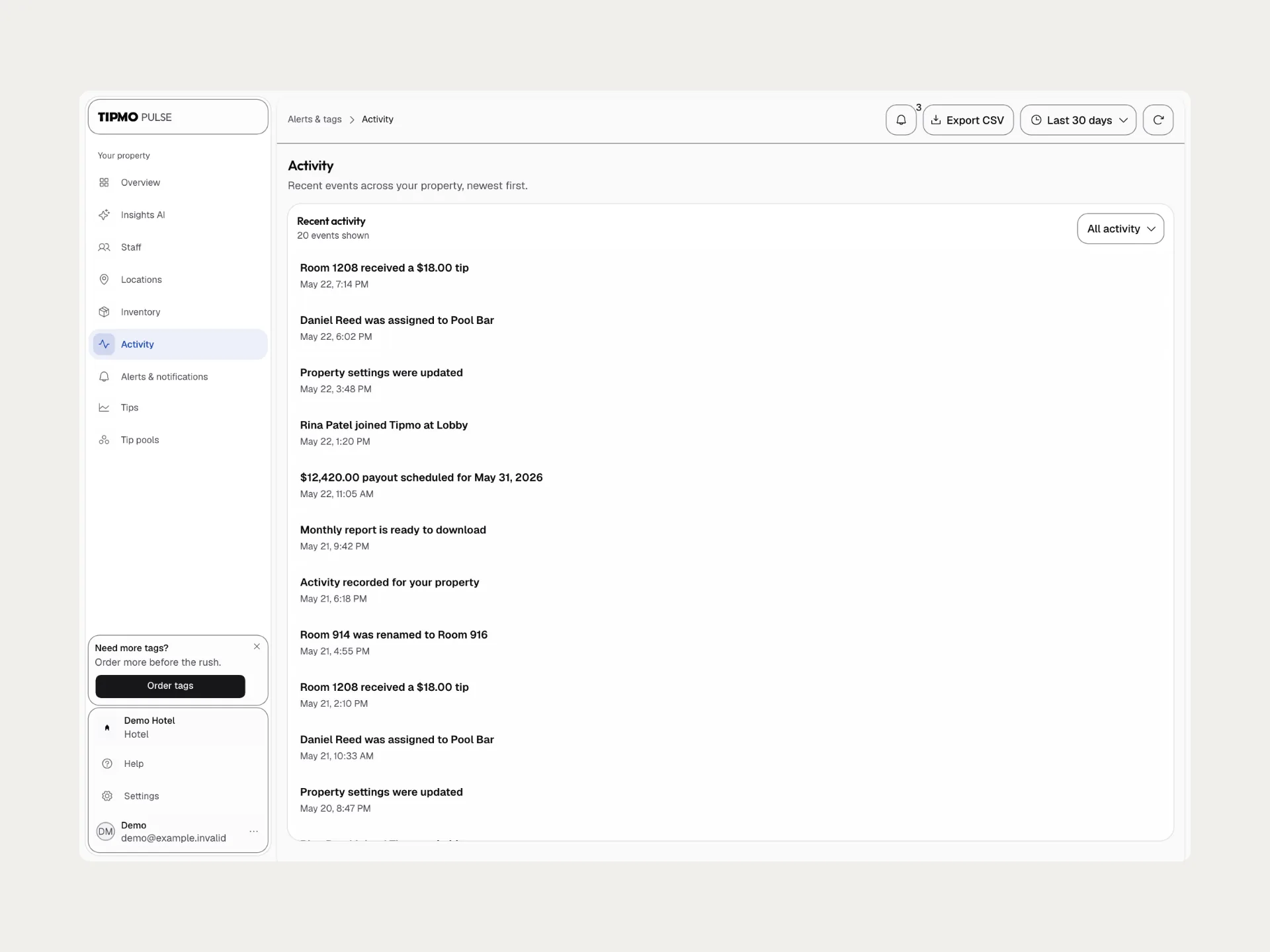
Tipmo Pulse is the venue’s dashboard. It opens on four numbers, the total tipped, the number of tips, the average tip and the average rating, each with its change, then tips over time, the spread of ratings, the top performers and tips as they arrive. A worker whose rating drops under a threshold becomes an alert at the top, so the one thing to act on comes first.
Who earns what
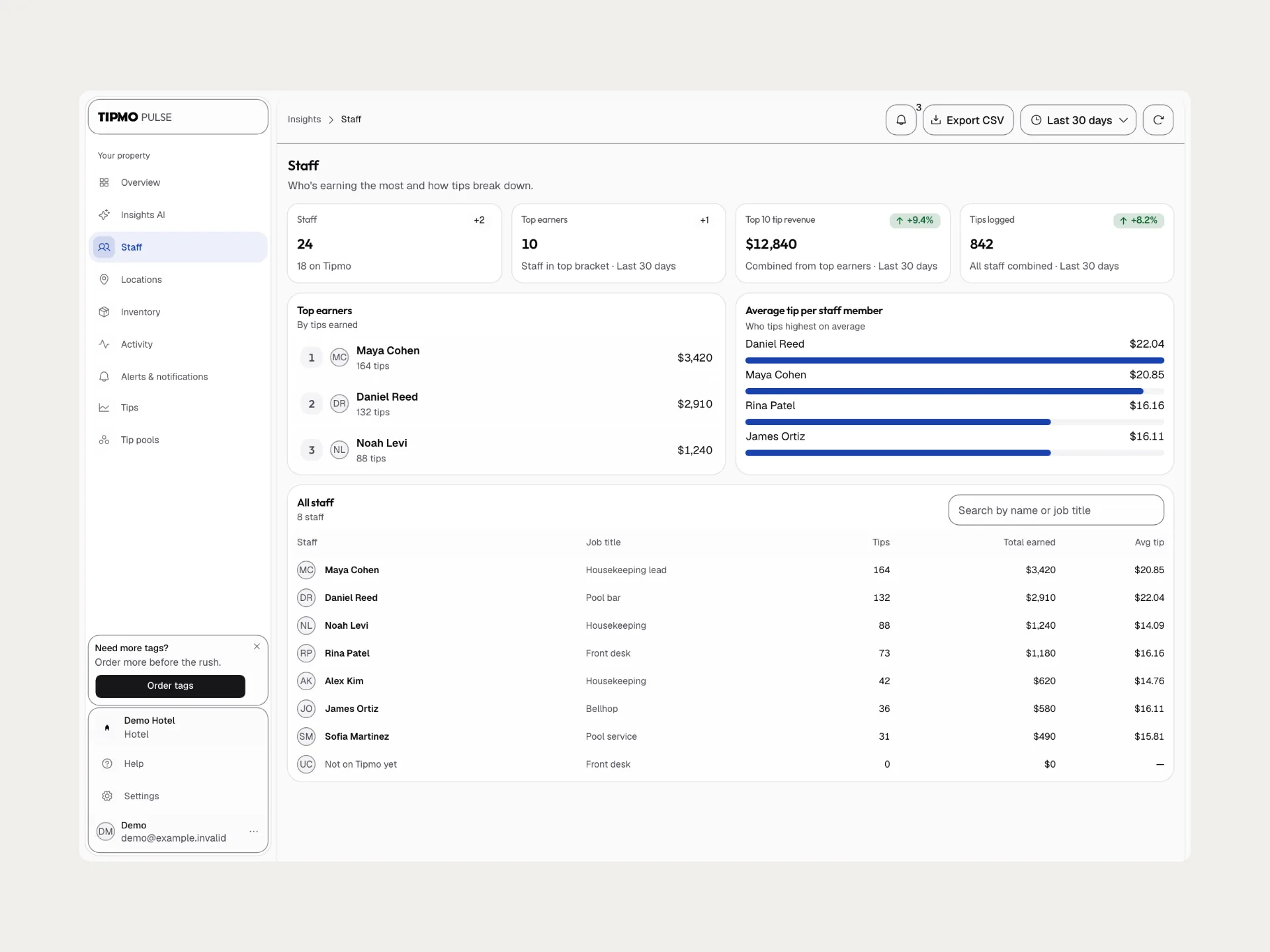
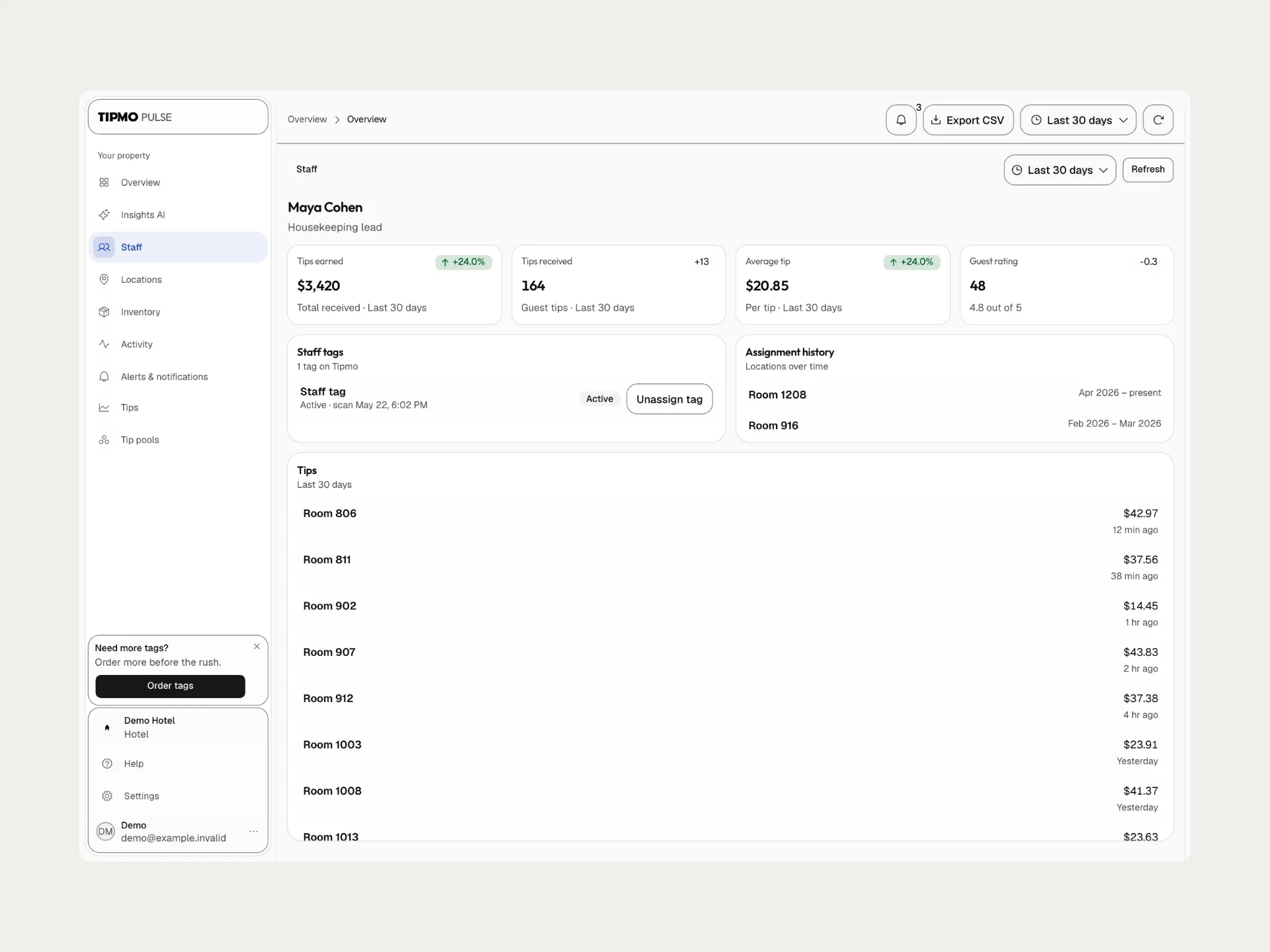
Staff answers its own subtitle, “Who’s earning the most and how tips break down.”, with the top earners, the average tip per person and a table of everyone. Typing a name or a job title narrows the table and the rankings together. A person opens to their own numbers, the tag they carry and their tips room by room.
Splitting a tip pool
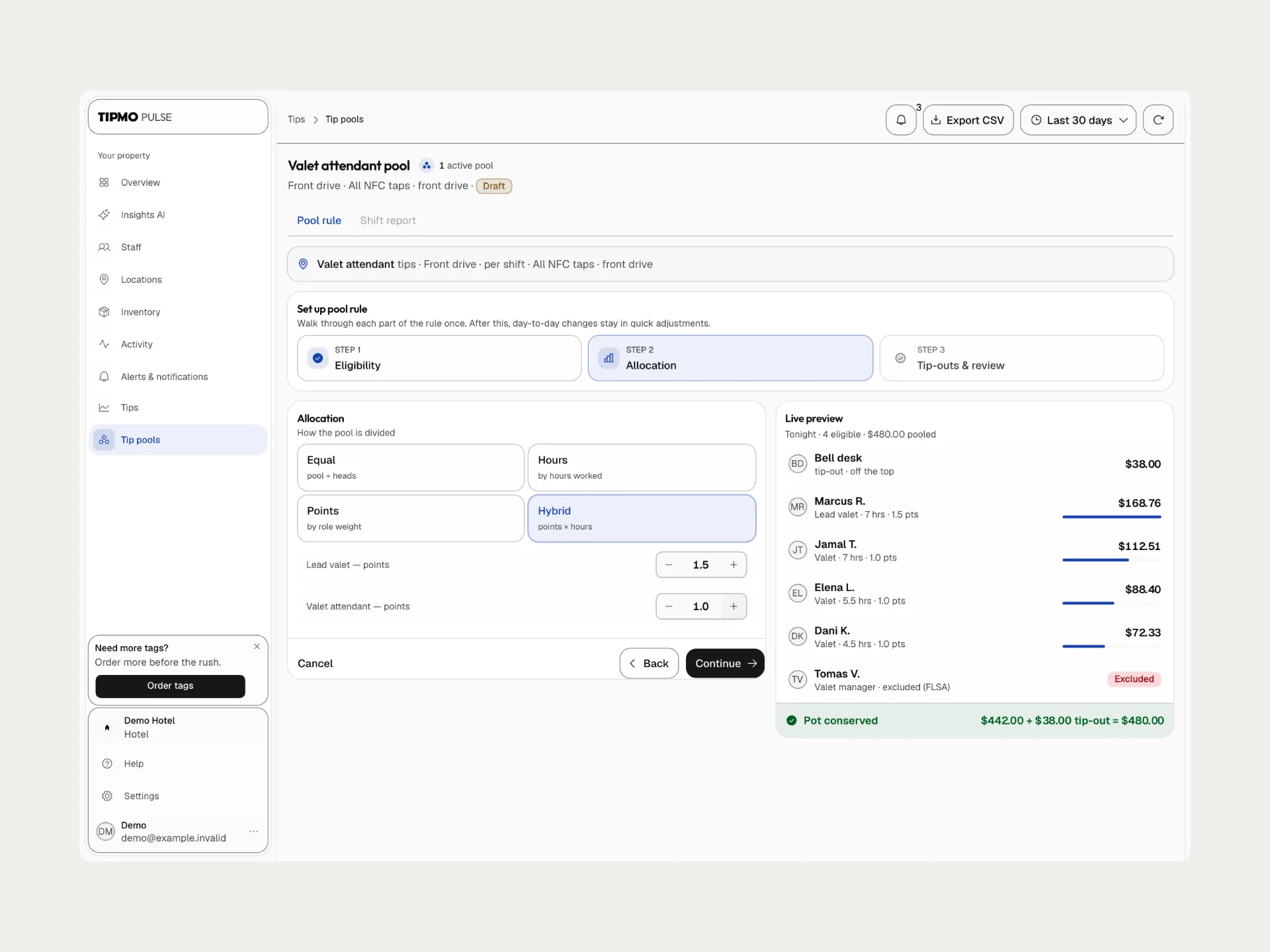
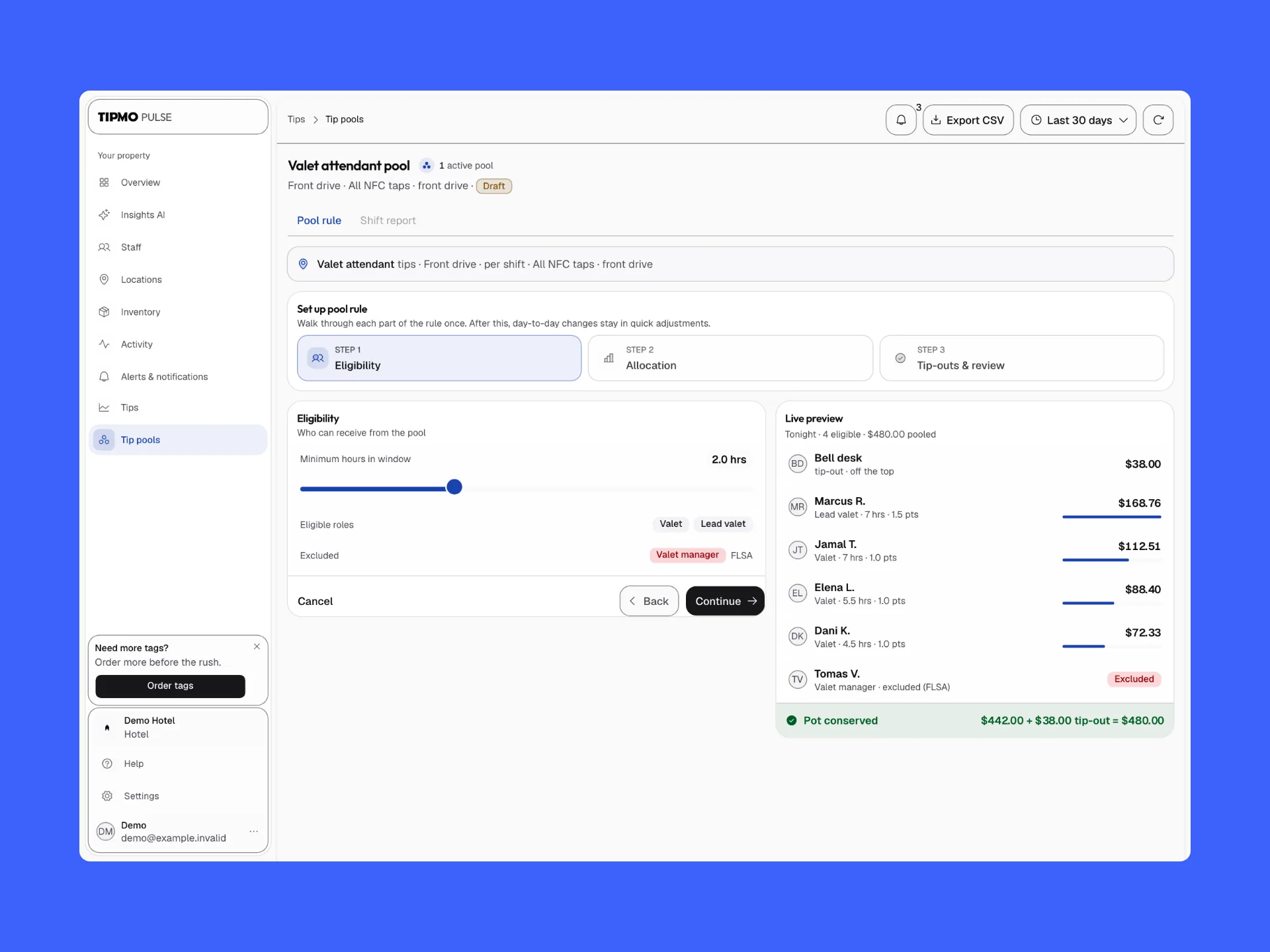
Some tips are shared, like the valet attendants’ at the front drive. A pool’s rule is set once, in three steps, eligibility, allocation and tip-outs. Eligibility leaves the valet manager out, marked FLSA, the US law that keeps managers out of their workers’ tips. Allocation splits the pool equally, by hours, by points for each role or by points times hours, and a live preview shows everyone’s share as it changes, checking the sum on its last line: “Pot conserved”.
Rooms, tags and orders
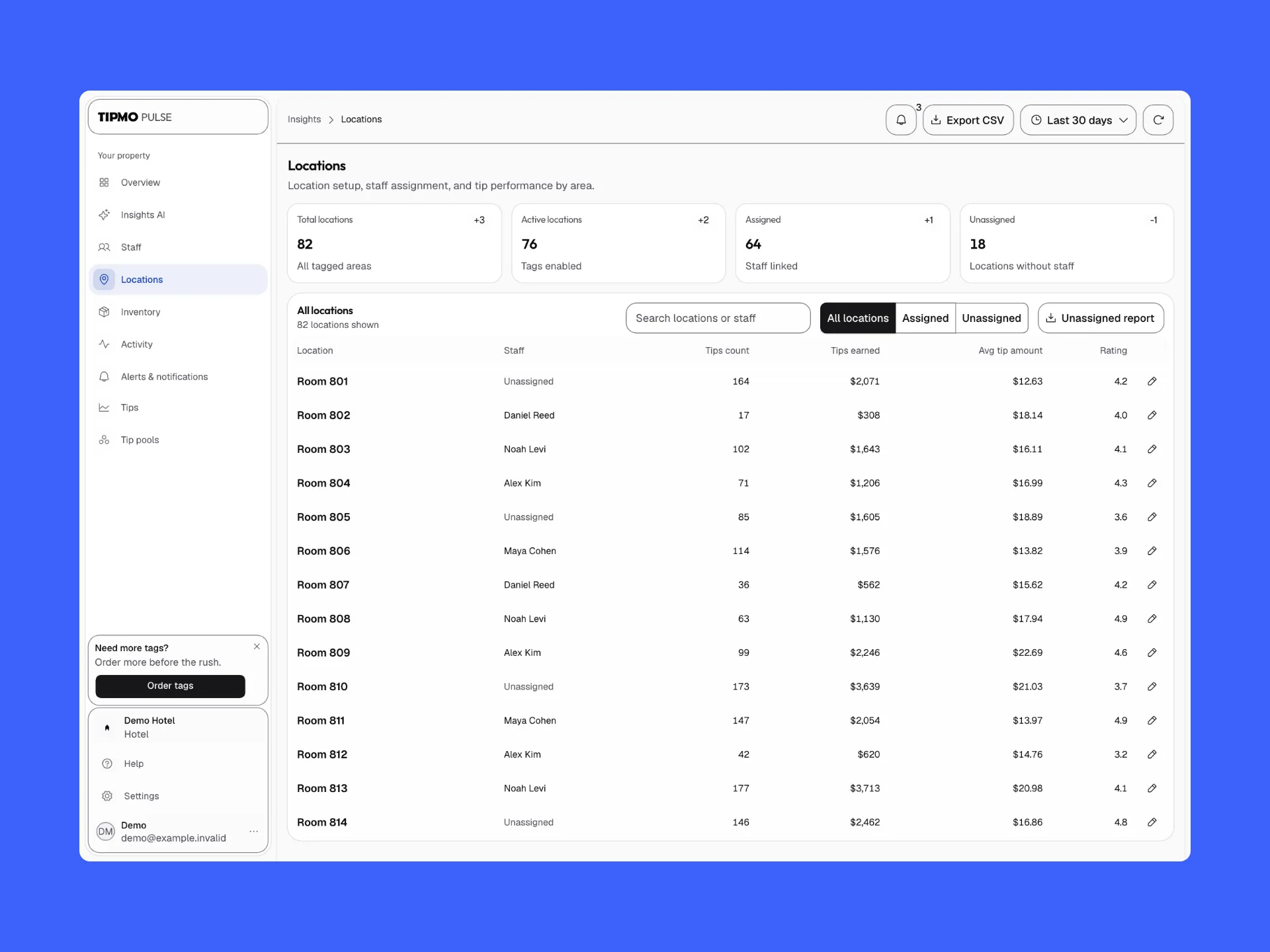
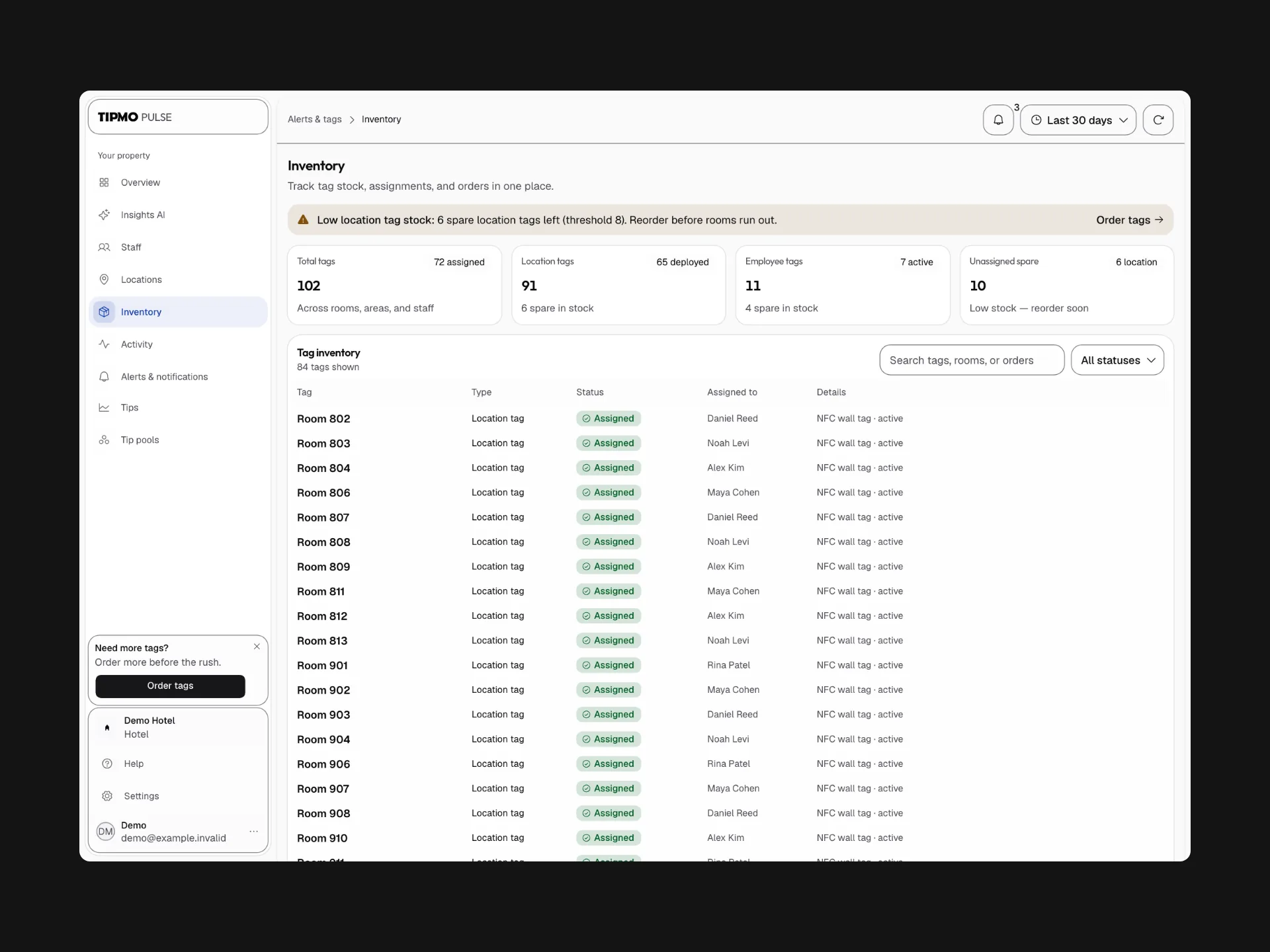
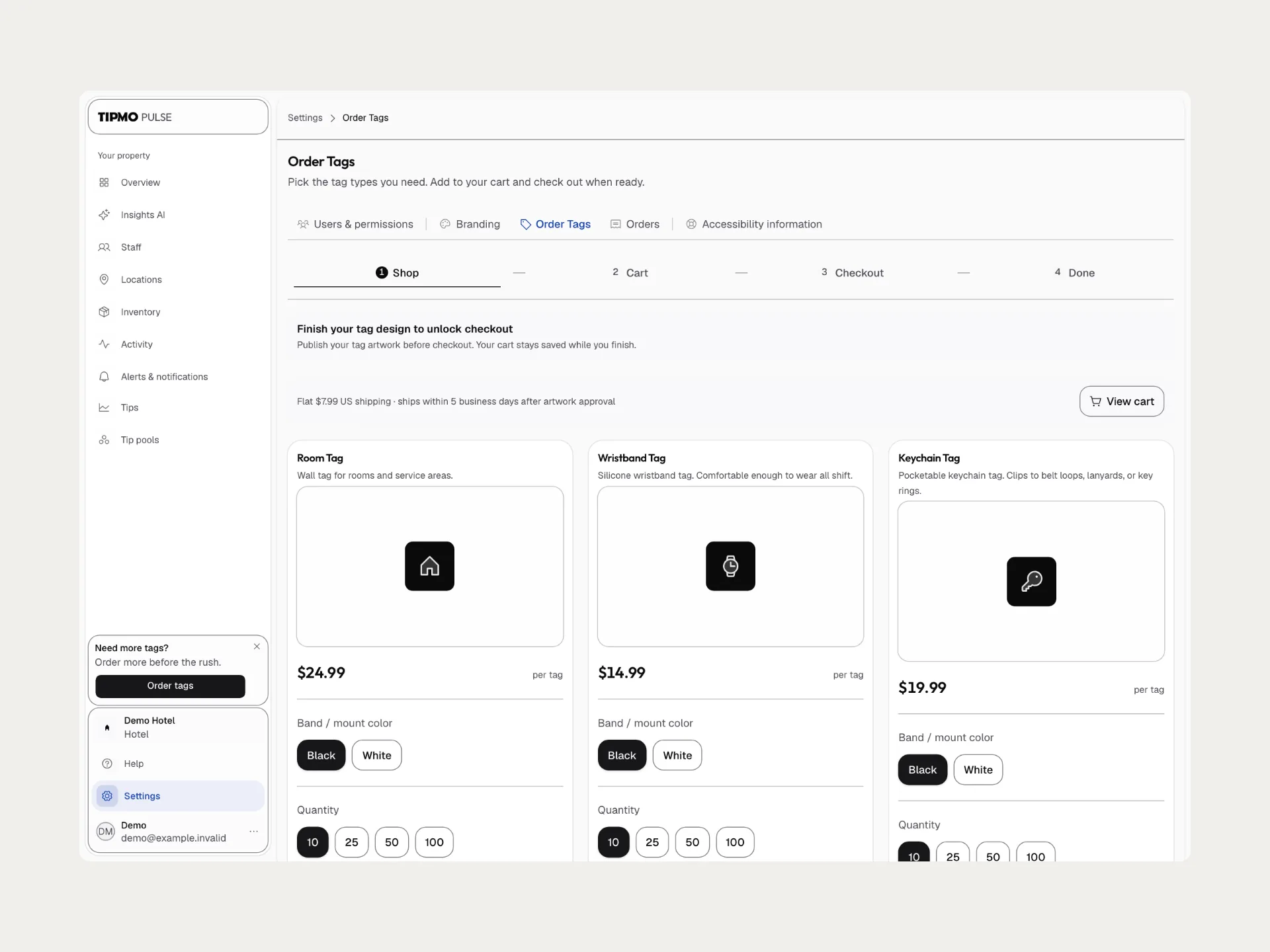
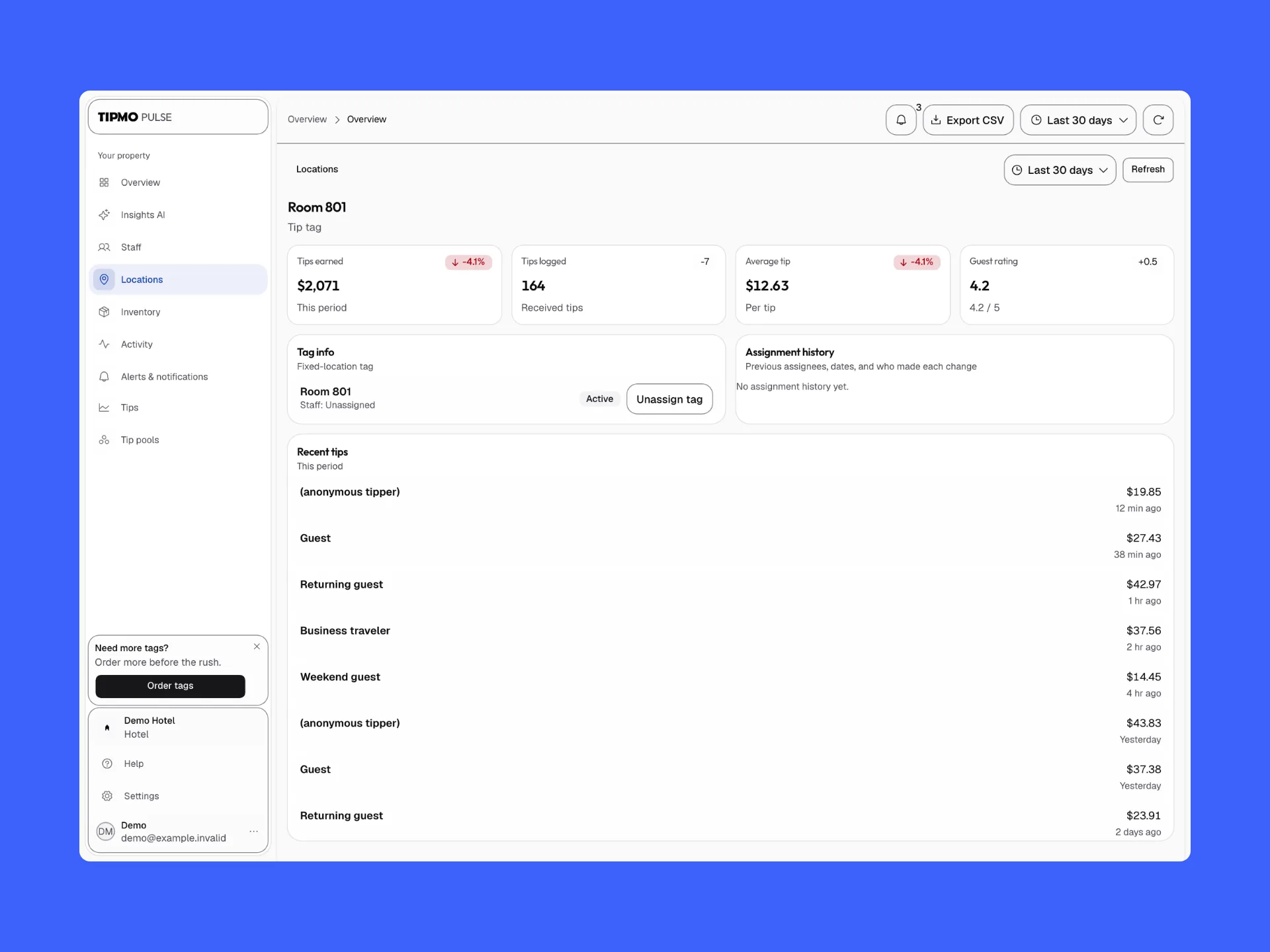
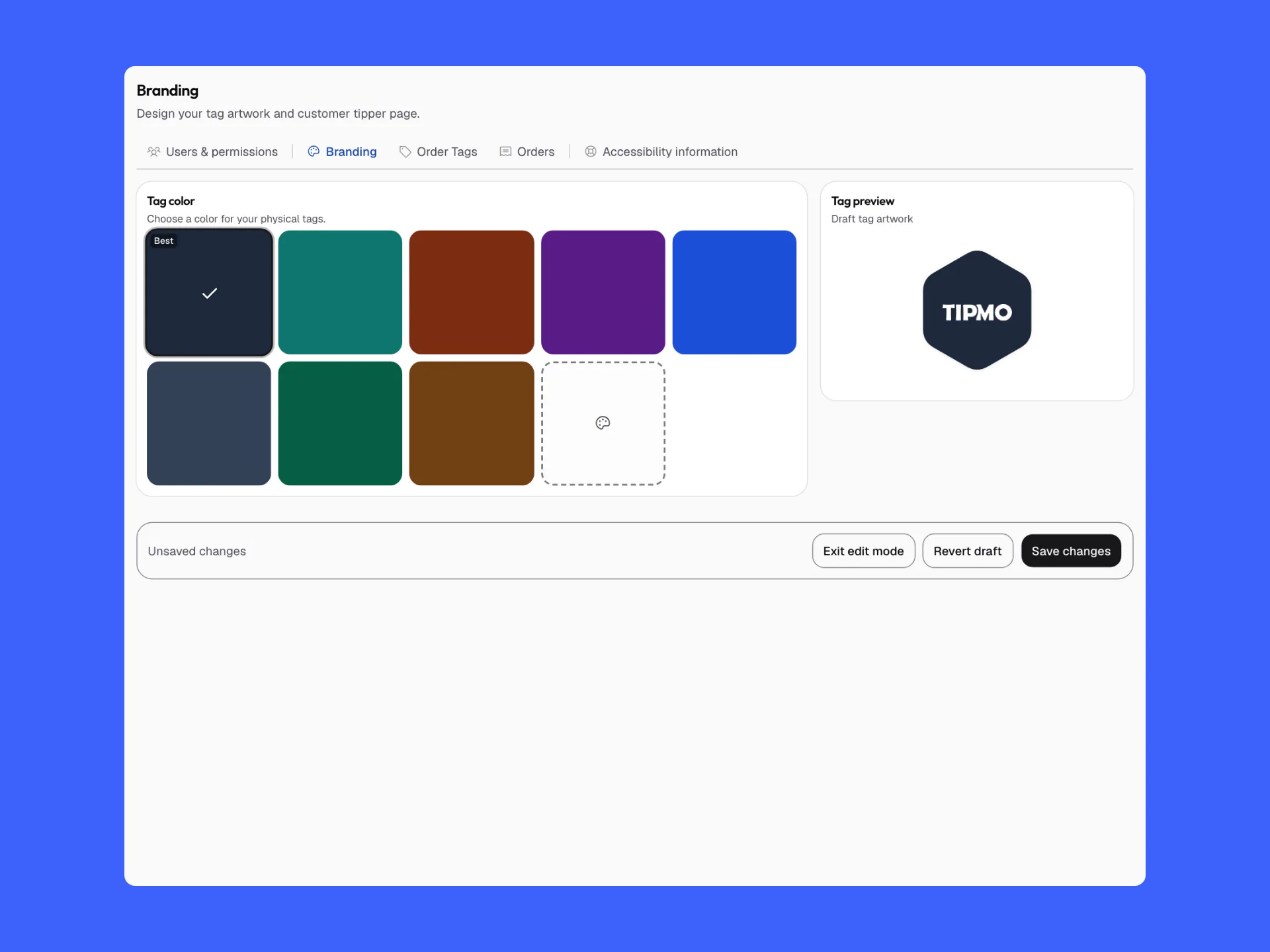
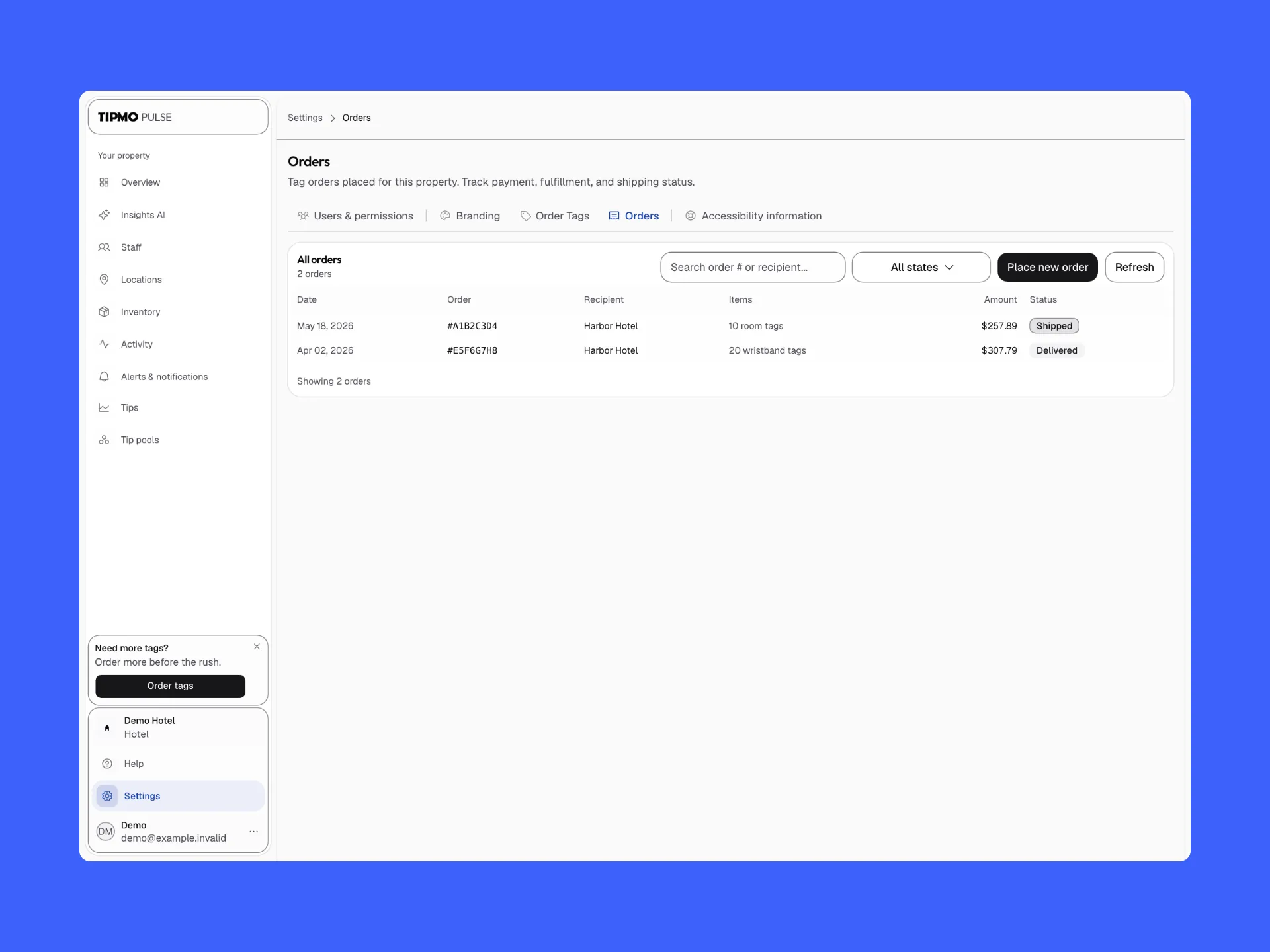
Every tagged room is a location, with its worker or Unassigned, its tips and its rating. Inventory counts the tags on walls and on staff and warns before they run out: “Reorder before rooms run out.” Tags are ordered from the dashboard in the venue’s colors, and checkout waits until the artwork is done: “Finish your tag design to unlock checkout.”
More of Pulse
Built with
- Figma
Outcome
Credits
- Jonathan Rashi
- Product design · UX/UI · Design system
- Doron Dreyer (opens in a new tab)
- Co-founder · CEO
- Avi Kochva (opens in a new tab)
- Co-founder · CTO
- Liad Altif (opens in a new tab)
- Software engineer
About the pictures
The app’s boards are Tipmo’s own Figma frames, exported at their native size and laid out on the product’s blue, cream and black. The earlier screens and the Hebrew diagrams come from the earlier design file, under the GratifID name. Names, photos, amounts and dates are sample data, and no payment in the films is real. The dashboard’s pictures are captures of Tipmo Pulse running on a local machine with its demo data, so the hotel, the staff and every figure are made up, and its films are recordings with a real pointer, cut only at the ends. Which version shipped isn’t stated here.